
v1.1.0 — Now Available
Professional Live Performance Control

The ideal tool for keyboardists, guitarists, drummers and technicians who need full control on stage:
MIDI routing between keyboards and sound modules, pedalboards and effect racks, audio track playback,
click and backtrack sync, MIDI-driven synchronization with audio, video, lighting and camera systems,
stage-to-booth communication — usable on stage and behind the scenes,
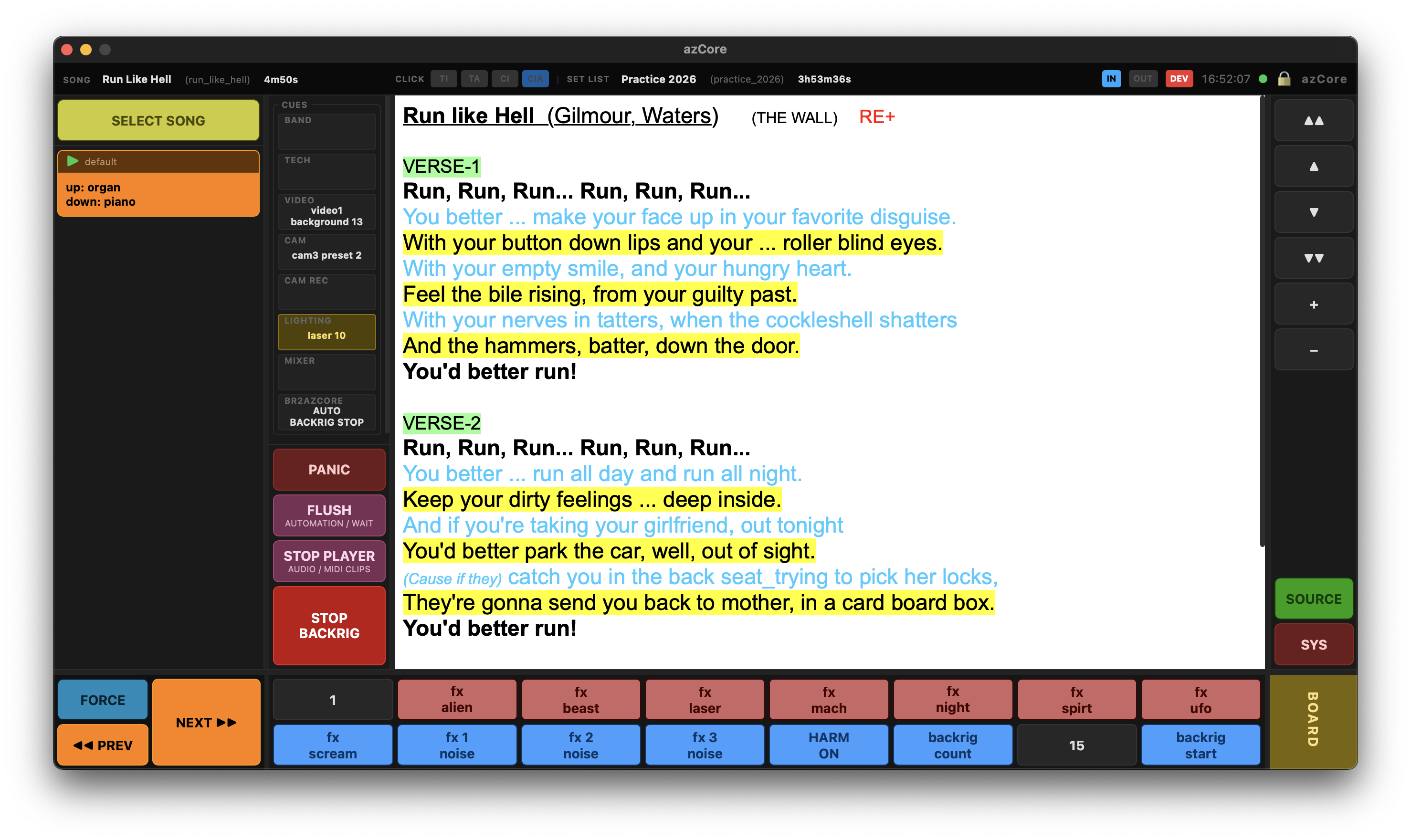
with auto-scrolling score display, lyrics, sheet music and annotations.
Your ultimate stage companion for live performance.

Early access offer — until June 30
Songs, setlists, profiles
1ms MIDI engine resolution
340 Automated tests
0 Stuck notes. Ever.

A single application that manages your entire stage setup
MIDI routing, audio playback, cue notify,
score display, control surfaces

driven by plain-text files you write once and run everywhere.
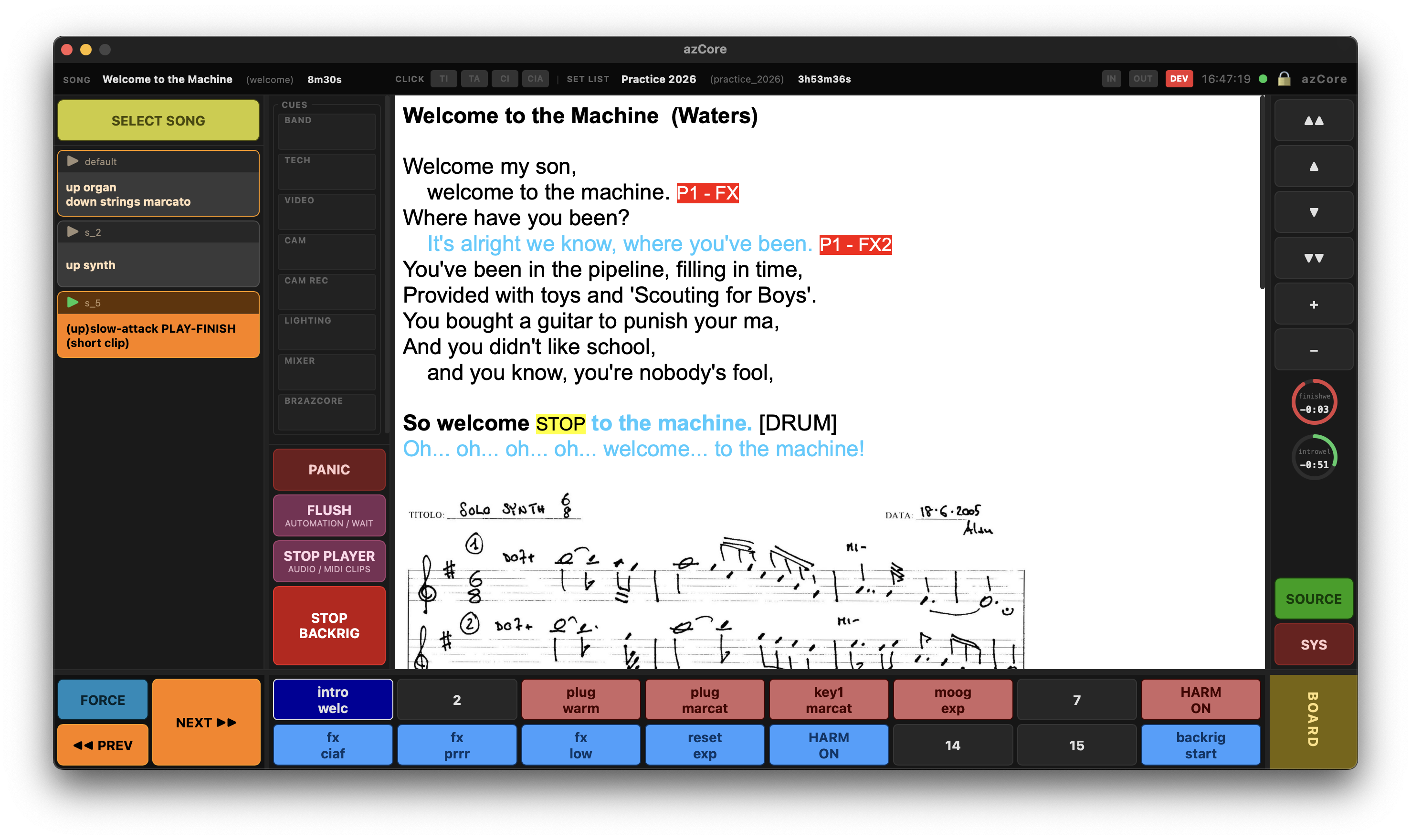
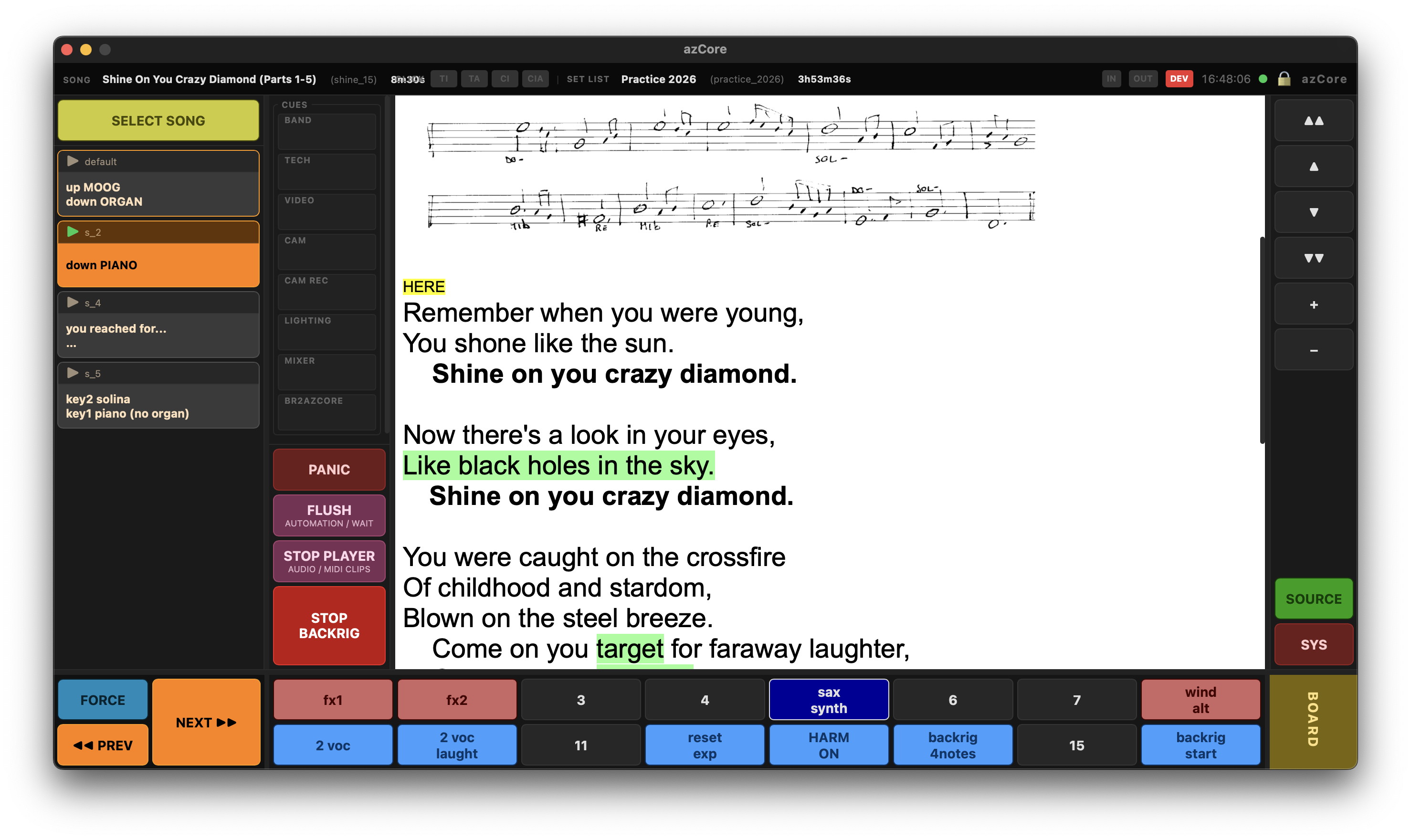
azCore — Score display with lyrics and sheet music

"Unlimited songs, unlimited setlists, unlimited profiles. In production use with real hardware. Zero stuck notes. Zero wrong patches. Zero surprises."

A language designed for live performance

Every other performance control system uses a GUI. azCore uses azSyntax — a purpose-built language that describes your entire setup in plain text. Human-readable. Version-controlled. Reviewable before the gig.


If you can write a text file, you can describe your rig. And if you change it, you can see exactly what changed — in a git diff, not buried in a binary project file.

song echoes { title = "Echoes (part 1)" artist = "Pink Floyd" duration = 11m40s version = "Version IF Cut" update = "" pad preset(2) { caption = "albatros" type = toggle on_press {audio.play albatros} on_release {audio.stop albatros} } score echoes_lyrics { media = "echoes.html" } route echo_key1_to_rotary_on {key1,fc_sustain piano transpose=-1 send {$piano_rotary_on}} route echo_key1_to_padbox {key1,fc_sustain padbox transpose=-1} route echo_key2_to_hammond_low {key2,fc_leslie hammond_low transpose=-1} step default { caption = "hammond\npiano + rotary" route.remove all ;rotary piano + wurly midi.send pianobox {$box_piano} route.remove key1 route.add echo_key1_to_rotary_on ;route.add key1_to_wurly {key1,fc_sustain wurly transpose=-1 split=95:127 send {$wurly_wah_off}} midi.send padbox {$box_wurly_e} route.add echo_key1_to_padbox call block leadvoice score.show echoes_lyrics } step s_1 { caption = "Strangers..." score.show echoes_lyrics {marker=st2} } var echoes_mellow_dyn = 100 block echoes_sold { call block no_echoes_all midi.send fantom3 {note_on,$note_sold,$echoes_mellow_dyn} pad.release preset(6) pad.release preset(7) pad.release preset(8) } }

Three innovations that change everything

Industry-unique

Smooth Patch

When you remove a route, azCore enters a Release State — staying alive just long enough to forward every note-off for the notes you were playing. No stuck notes. No kill switches. No panic.

Zero-delay

Pre-compiled Songs

Every song in your catalog — no matter how many you have — is compiled, validated, and ready before the first note, free from syntax or semantic errors. Switching songs takes milliseconds. If azCore starts, your project is valid — errors caught before the show.

Architecture

Logical / Physical Separation

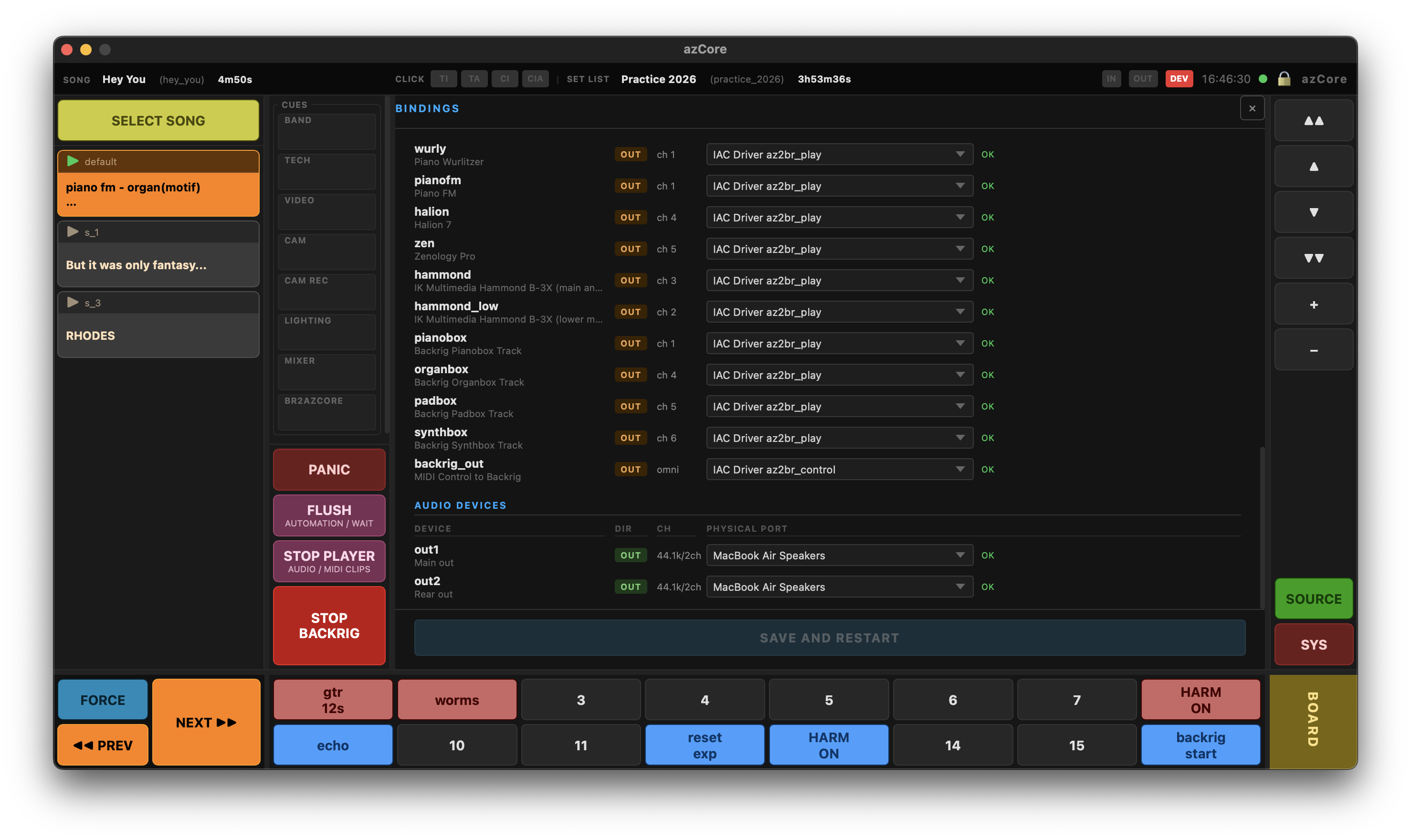
Your .az files use logical names. Physical port mapping lives with a simple binding operation. New venue, different gear? Change the bindings. Every song still works. No re-patching, no per-song edits.

See azCore on stage

Run additional UIs on any device over the network — iPad, tablet, or second screen. No app needed, just a browser.
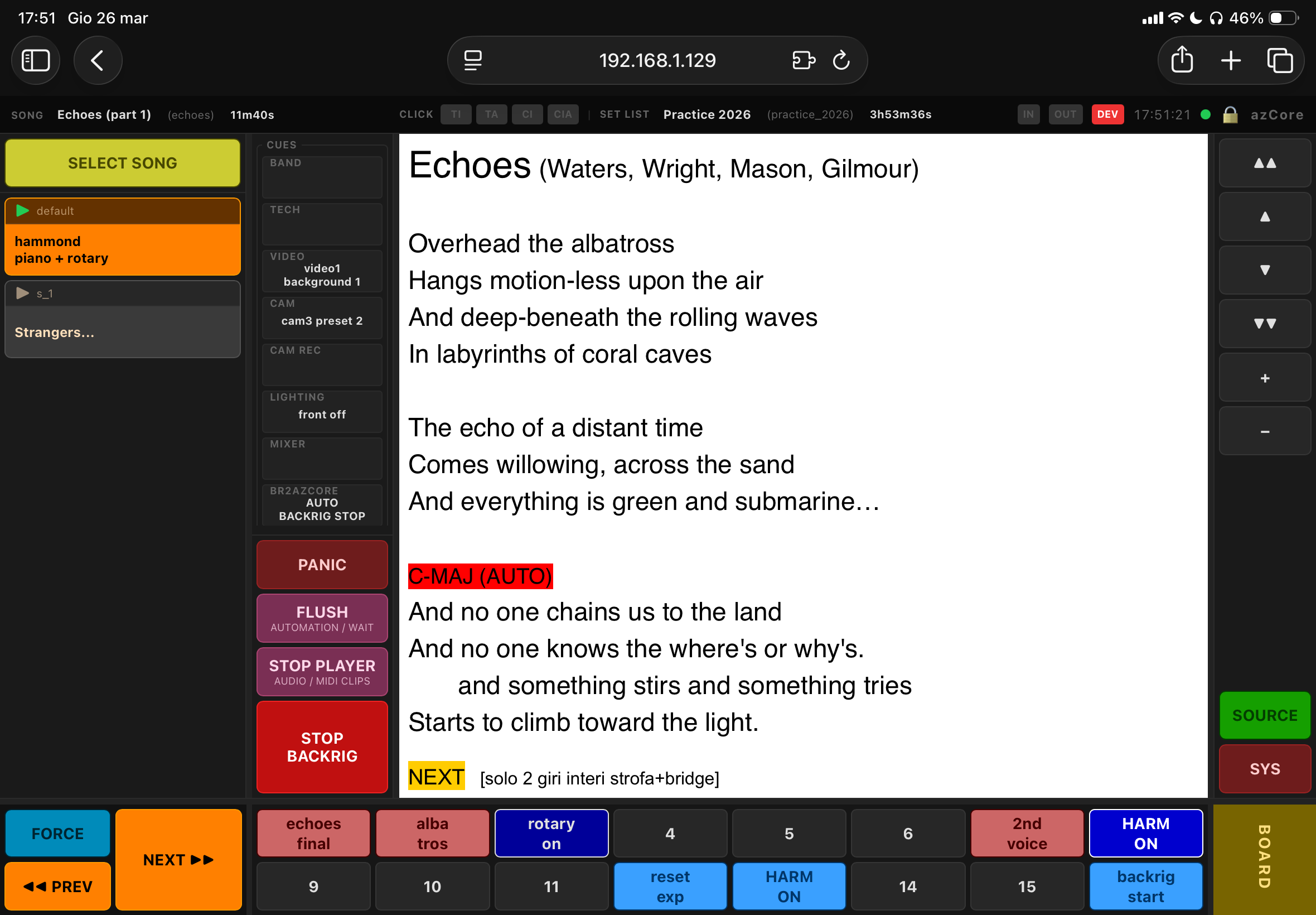
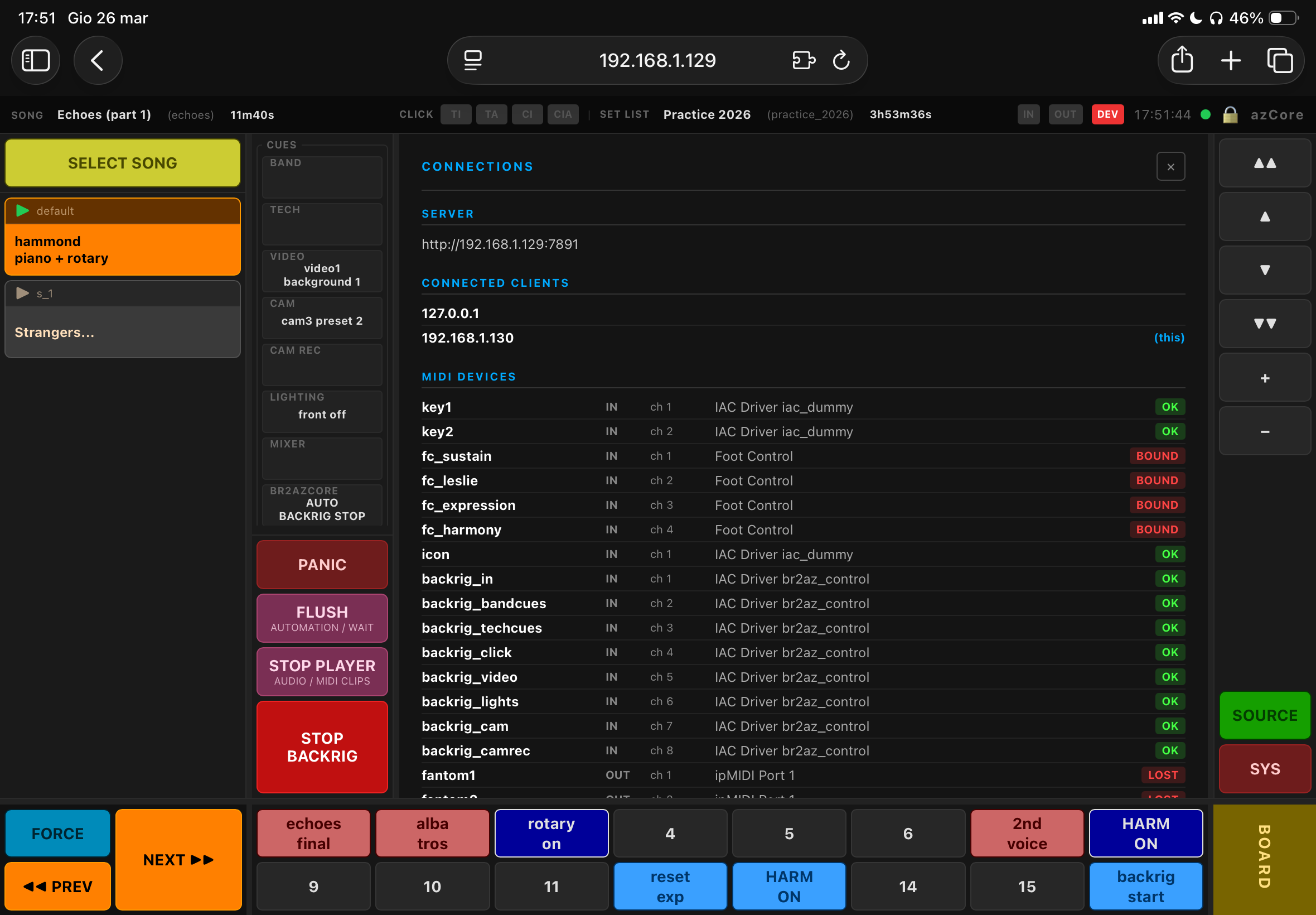
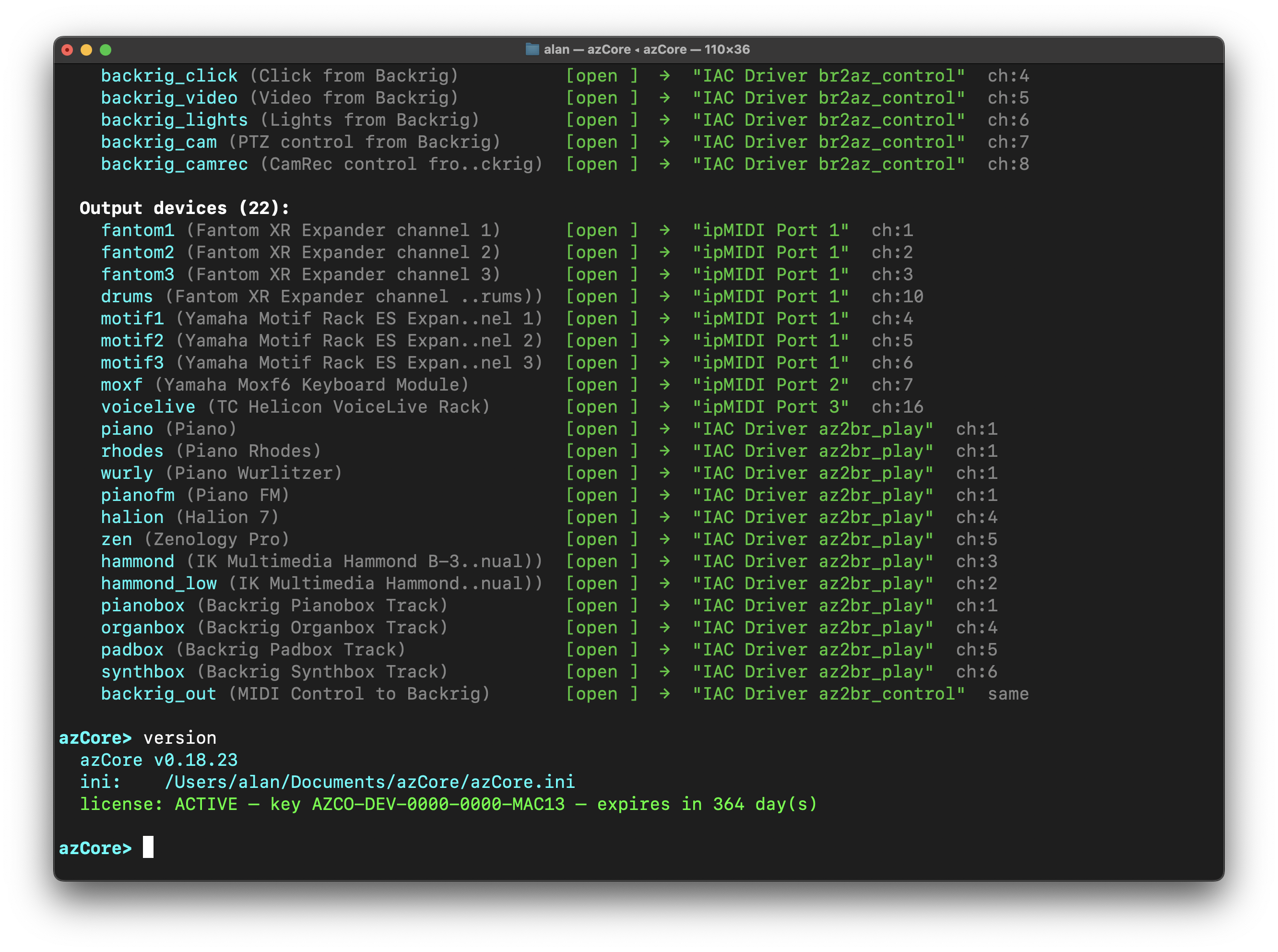
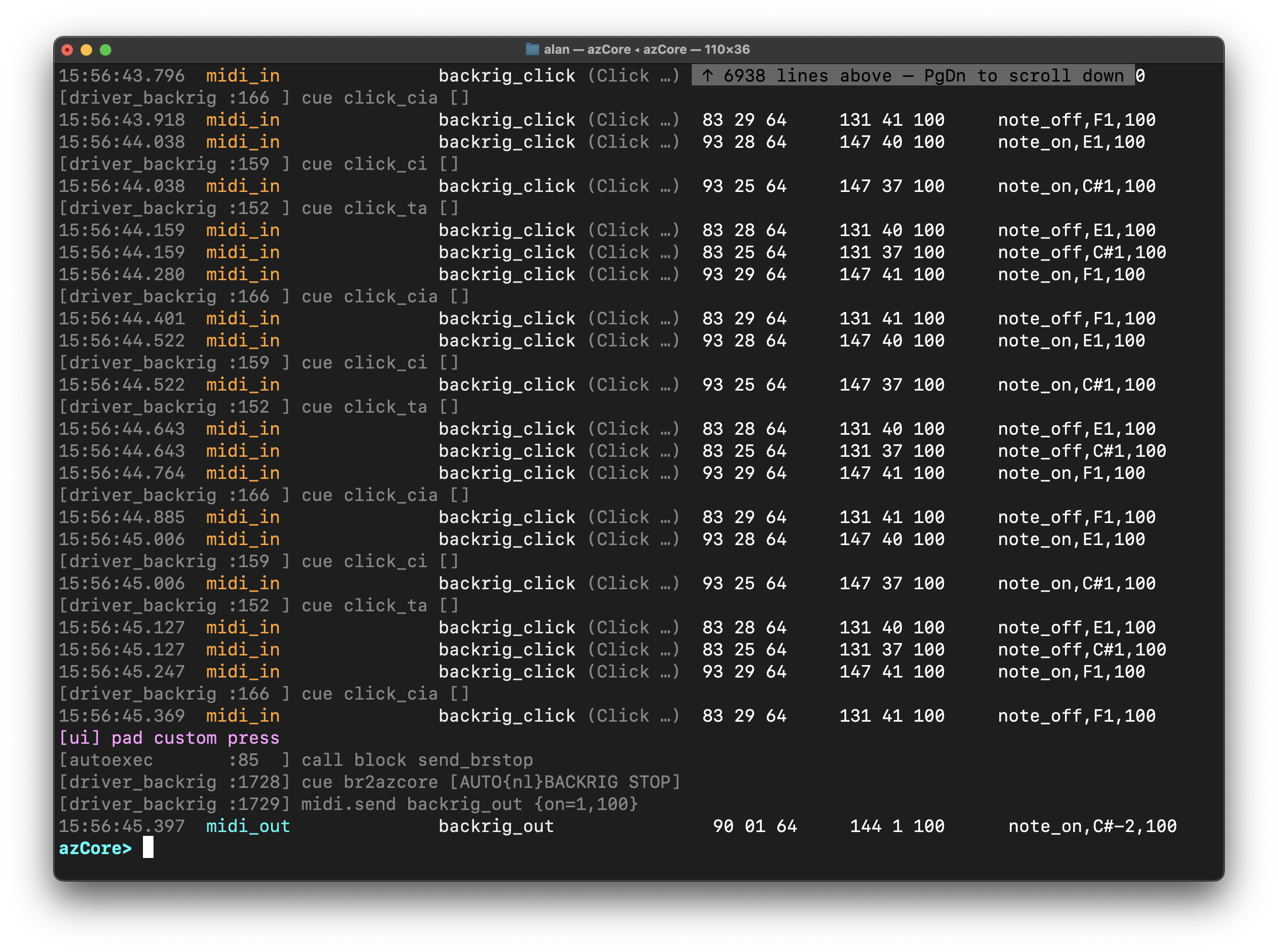
Full terminal interface for diagnostics, MIDI monitoring, and live control of the engine.
Lifetime license — own it forever

One payment. No subscriptions. No recurring fees. Your license includes all v1.x updates. Works on macOS and Windows. Verified offline — no internet required on stage.
Until June 30

Everything in azCore

Built in Rust. 1ms MIDI resolution. Self-contained binary. No runtime dependencies.

azCore — Shine On You Crazy Diamond

azSyntax Scripting

Purpose-built plain-text language (azsyntax) for describing your entire rig. One line per action. Compiled at boot — runtime crashes from bad syntax are impossible. Compiling 60 songs takes 15–20 milliseconds. Ready immediately.

Industry-unique

Smooth Patch + Note Ledger

Configurable grace period for note-off forwarding on route removal. Full per-device in/out tracking with ghost-note detection and diagnostics.

Pre-compiled Song Catalog

Unlimited songs, unlimited setlists, unlimited configuration profiles. Everything compiled and ready at boot. Zero-delay navigation. Load a different profile for a different rig — same songs, different hardware mapping.

Logical / Physical Separation

Portable .az files with logical device names. Physical port mapping lives with a simple binding operation. New venue, different gear? Change the bindings. Every song still works.

Touch UI

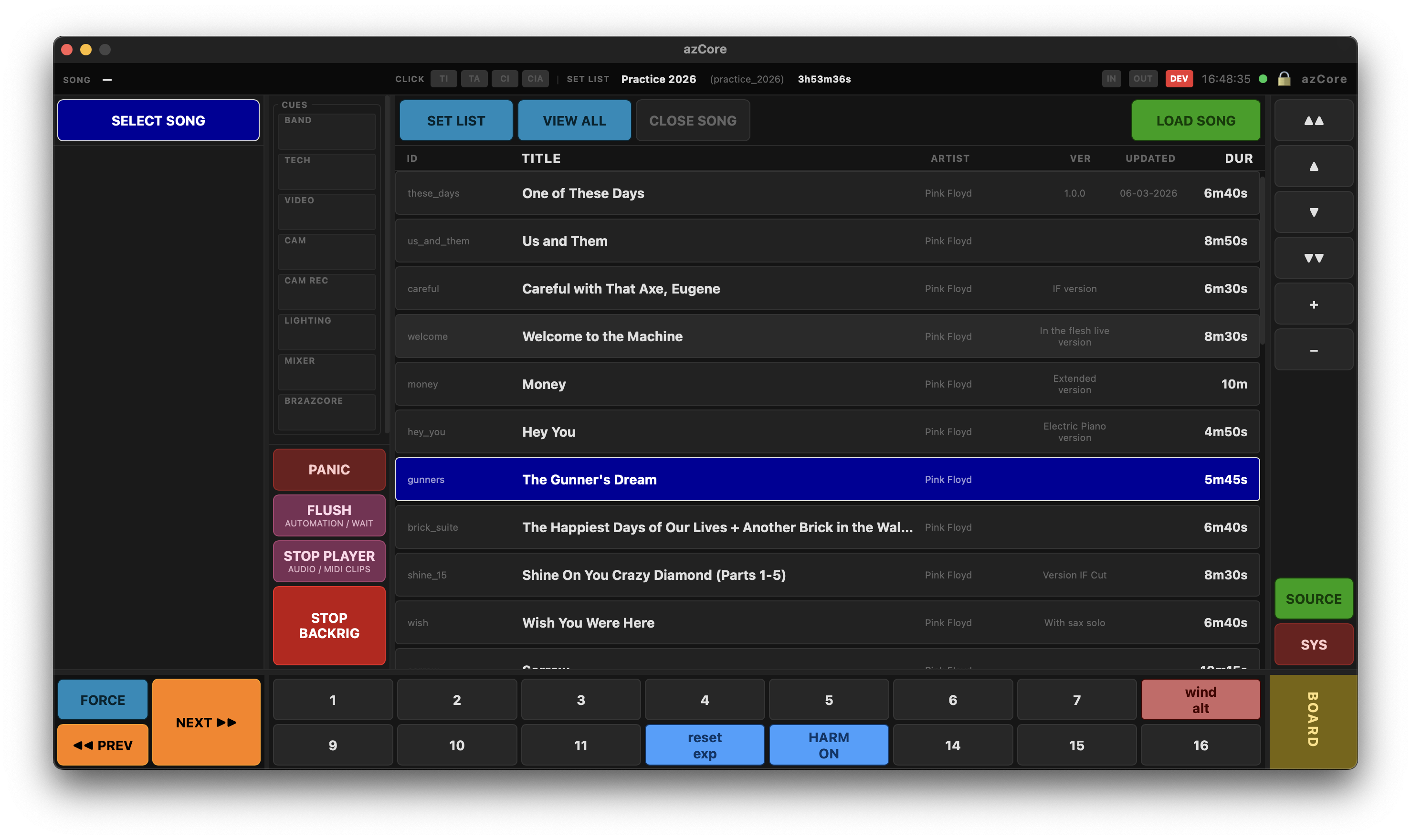
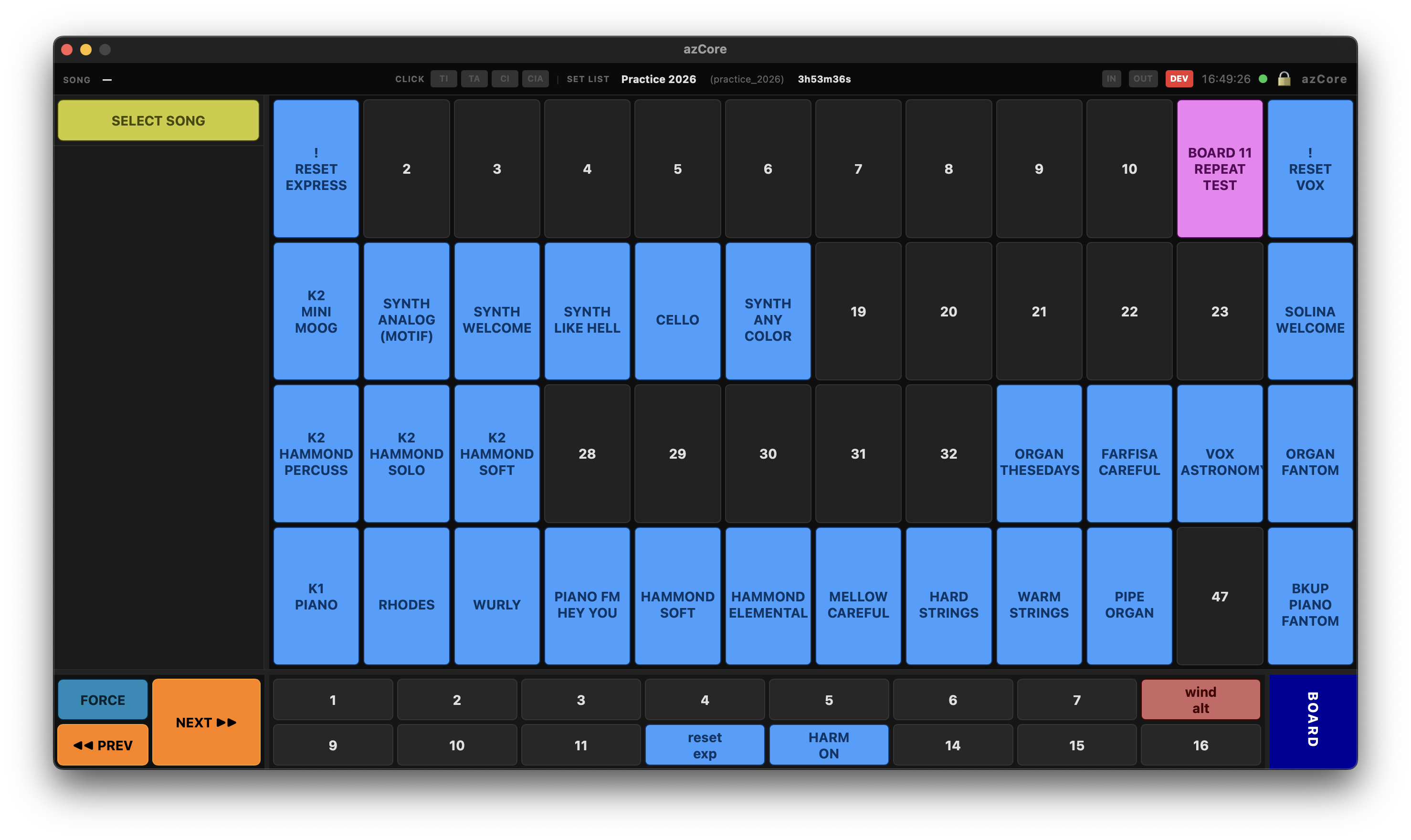
Step panel, 16 programmable preset buttons, 48-button board grid, cue panel, score area, resize lock. Runs natively on macOS and Windows — and on iPad over Wi-Fi in a browser. No app needed.

Integrated Audio Playback

Preloaded clips at boot for zero-latency playback. On-demand decode in background threads. Fade in/out, trim points, two-level volume control. Full UI transport controls.

Multi-personnel Cue System

8 labeled channels: band, tech, video, camera, lighting, mixer, metronome, cam rec. Auto-dismissing. Color-coded. Triggerable from code or touch UI. One button, eight people informed.

Device Hotplug

Watches every connected MIDI and audio device continuously. Auto-reacquires on reconnect. macOS CoreMIDI subprocess architecture handles ports added after boot.

MIDI Engine

Routing with split/transpose/velocity. Exclusive route switching. Stop using split and transpose features from your keyboards. Start thinking a keyboard disconnected from its internal sound engine, and leave azCore do everything for you. CC automation with linear sweep for MIDI volume and MIDI expression automatic control.

64-slot Pad System

16 preset buttons + 48 board grid. Instant, toggle, and repeat modes, working globally or per-song. Keyboard and MIDI trigger bindings per-slot or standalone, to throw messages or commands on MIDI or shortcut events.

Console REPL

Full terminal console for diagnostics, monitoring, and live control. Usable even as stand-alone console with audio/MIDI router with no UI. Statement tracing visualization. Complete access to all engine internals from the terminal.

Offline License

JWT RS256 verified entirely on your machine. Public key embedded in the binary. No internet required on stage after the activation. No license server. No expiry surprises at the venue.

What changed in this generation

azCore is a complete rewrite of azMidi and azRouter — everything unified, everything improved.

Capability azMidi / azRouter azCore
ArchitectureSeparate tools (xMessage, ipMIDI required)✓ Single unified binary
Stuck note prevention✗ Manual kill switches✓ Smooth Patch + Note Ledger
Preset buttons8 toggle + 8 instant (fixed)✓ 16 fully programmable (any mode)
Step visualization✗ Not available✓ Already-used steps highlighted
Device hotplug✗ Manual reconnect✓ Automatic detect + reacquire
Audio clip preload✗ Not available✓ Boot preload + per-song on-demand
Score display✗ Not available✓ HTML + smooth scroll/zoom
Multi-UI support✗ Single UI✓ Multiple UIs simultaneously
UI / Core couplingTightly coupled✓ Fully separated via WebSocket
Diagnostics✗ Limited✓ Console REPL + statement tracing
Trigger bindingsLimited✓ Shortcut/MIDI to any pad or standalone
Custom actions✗ Not available✓ Programmable buttons (e.g. stop backrig)
Song compilation✗ Runtime errors possible✓ Full compile at boot, errors before show
Route syntaxSeparate route + send commands✓ Inline midi.send in route definition
Exclusive routing✗ Manual management✓ exclusive() — implicit remove on add

Own it. Forever.

One lifetime license. No subscriptions. No annual renewals. All v1.x updates included. macOS and Windows.

Regular Price
299
lifetime license · after launch period

  • macOS + Windows
  • All v1.x updates included
  • Activate on up to 2 computers
  • Offline activation (JWT RS256)
  • Email support
  • Invoice from AZLIVE
Major version upgrades (v2, v3…) are available at a reduced upgrade price — optional. You can keep using your licensed version indefinitely with no obligation to upgrade.

License transfer between machines available via self-service panel. Need help? Contact [email protected]

Not ready to buy yet?

Leave your email and we'll notify you about updates, release notes, and special offers.

Get azCore

Complete your purchase below. You'll receive your license key by email within minutes. Invoice issued by AZLIVE.

Early Access
€199
Limited offer
Regular
€299
Standard price
Product azCore — Lifetime License
Tier Early Access
Activations Up to 2 computers
Total €199
Secure payment via PayPal · Invoice issued by AZLIVE
License key delivered by email · Offline activation · 2 Macs included

Questions?

Have questions before purchasing? Use our contact form or email [email protected]

Get in touch

Questions about azCore, licensing, or compatibility with your rig? We're happy to help before you buy.

By AZLIVE
Multimedia Software and Music Production
Merate LC
Milan - ITALY

Response within 1–2 business days.
For urgent technical issues, include your license key
and OS version in your message.

Get azCore

Download azCore for free. A 30-day trial starts automatically on first launch.
After the trial, activate your license with the activation command in the azCore console.

Choose your platform


Free download · 30-day trial included

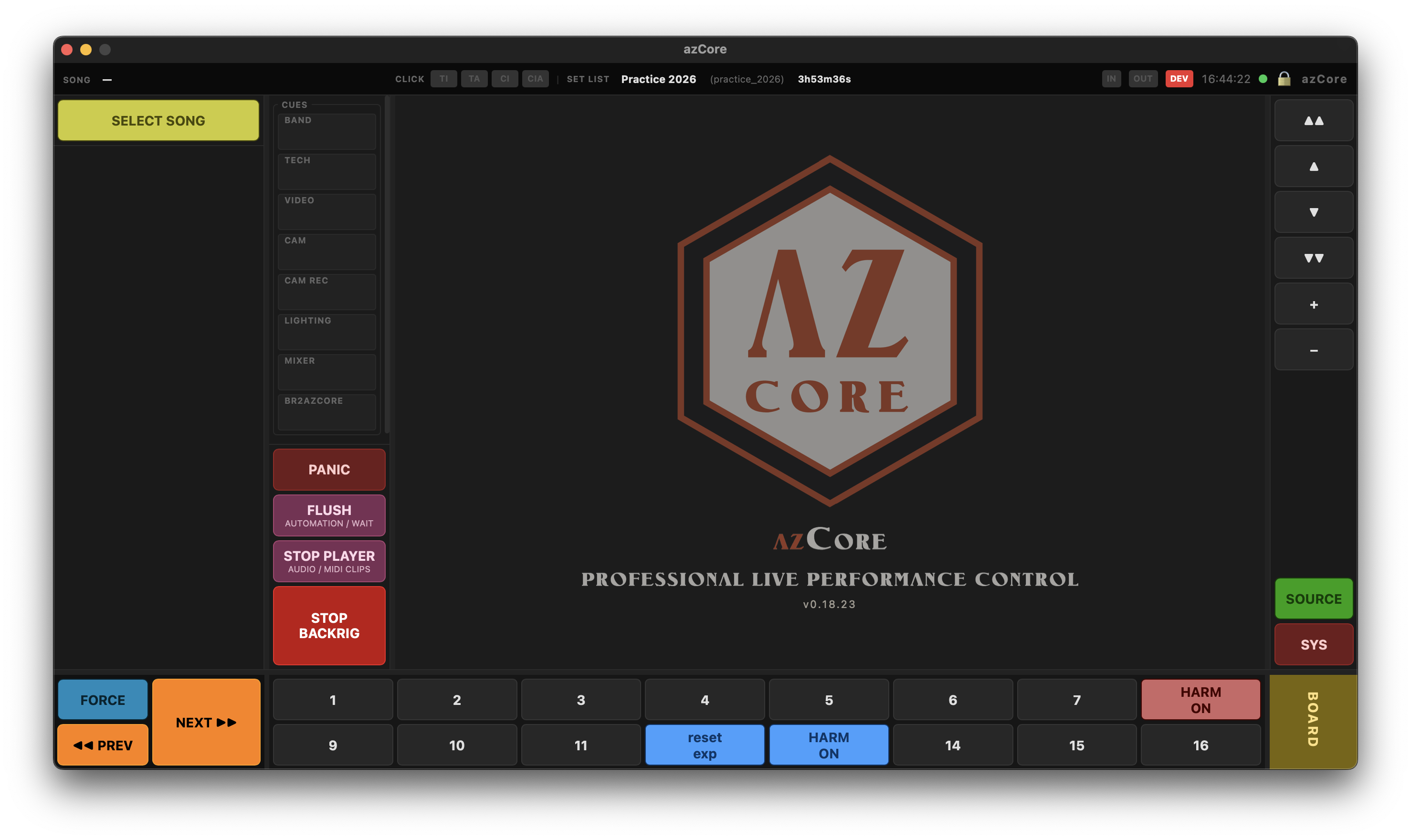
azCore main interface

System Requirements

  • macOS — Apple Silicon (M1 or later) · macOS 11 Big Sur or newer
  • Windows — Windows 10 22H2 or Windows 11 (any version) · 64-bit
  • RAM — 8 GB minimum
  • Disk — 2 GB free space
  • Audio — Core Audio (macOS) or WASAPI (Windows)
  • MIDI — Any class-compliant MIDI interface or device with vendor drivers recognized by the OS

Trial & Activation

  • The download is the full version of azCore
  • A 30-day trial starts automatically on first launch
  • All features are available during the trial — no limitations
  • After purchase, open the azCore console and run activation
  • Enter your license key to activate — no internet required on stage
  • One license, up to 2 computers — transferable via contact support

Installation — macOS

  1. Open the downloaded .dmg file
  2. Drag azCore into your Applications folder
  3. On first launch, macOS may ask to confirm — click Open
  4. Go to System Settings → Privacy & Security
  5. Grant access to MIDI and Audio (Microphone) when prompted
  6. azCore starts in trial mode — you're ready to go

Installation — Windows

  1. Run the downloaded .exe installer
  2. Follow the setup wizard — default options are recommended
  3. Windows may show a SmartScreen warning — click More info → Run anyway
  4. When prompted, allow azCore access to MIDI devices
  5. Allow access to audio devices if using audio playback features
  6. azCore starts in trial mode — you're ready to go